


DIY Keyboard
4.61.60K Reviews
App Specs
- Version
- 2.2.2.7
- Updated On
- License
- Free
- Downloads
- 50,000,000+
- Developer
- CrazyLabs LTD
- Categories
- Simulation
- Platform
- Android, iOS
Screenshots


 Analysis by AppCompare
I like keyboard customizers most when they give me a small creative project without making everyday typing feel like work. DIY Keyboard is built around that idea: it’s a simulation game from CrazyLabs LTD where the fun is in making a keyboard look and sound like your own. It suits people who enjoy visual tinkering more than practical productivity tools, and its Everyone age rating makes the basic premise approachable for a wide audience. The key question is whether you want a playful design activity or a keyboard chosen mainly for fast, reliable typing.
A creative game, not a replacement for every keyboard
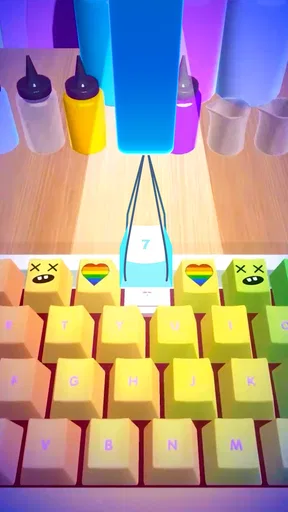
It helps to think of this as a keyboard-design game rather than a serious alternative to the keyboard you already use. The appeal is personal expression: adjusting the look of keys and pairing that design with typing sounds. If you enjoy matching colors, trying different visual styles, or making a phone feel less generic, that creative loop is the point. If your priority is a highly efficient layout, advanced text entry, or a tool for work, a conventional keyboard app is likely a better fit.
That distinction also sets expectations. A design that looks great in a preview may not be the most comfortable choice for long messages, and a sound that is amusing at first can become distracting in a quiet room. I’d treat each creation as something to experiment with, then judge it in ordinary use rather than assuming that the flashiest setup is automatically the best one.
What the current release tells us
The game was released on July 3, 2021, and its current version is 2.2.2.7. Those facts show that it has continued to have a versioned release path since launch, but they don’t establish what changed between releases, so I wouldn’t claim a particular new feature or redesign. What I can say is that a current version gives returning players a clear build to check against the one they remember, while newcomers can start with the present experience rather than an older snapshot.
DIY Keyboard has a 4.6 average from around 192,000 ratings, with about 1,600 written reviews, and it has passed 50 million installs. That broad uptake suggests the concept has reached many casual players, although popularity alone can’t tell you whether its creative style will suit your taste. It is free to download, which makes a quick trial easier; I’d still approach it as entertainment, not as a promise that every design choice will become part of my daily typing routine.
How to get more from a design session
Rather than changing everything at once, I’d start with one clear visual idea: a restrained color palette, a playful theme, or a look inspired by a favorite object. Then I’d adjust the key appearance and sound as separate choices. This makes it easier to tell which part actually improves the result, and it avoids ending up with a busy design where colors and audio compete for attention.
A useful everyday test is to create a version for a specific situation. For example, before a long chat with a friend, I might try a colorful layout and a light typing sound; before writing in a shared space, I’d favor a quieter feel or mute the sound if that option is available in the setup. The point is to evaluate the design in context. A keyboard that is fun for a few playful messages may not be the one I want while replying to a long email.
Worth Reading Before You Choose

EA SPORTS FC Mobile 26 Is a Bigger Football Game, but It Takes Time

Flipboard Shows What News Apps Must Do Beyond the Feed

Switching to Android Auto Means Rethinking Your Driving Routine

Google Calendar Makes a Crowded Week Easier to Manage

Ludo King Makes the Most of the Minutes Between Plans

Baby Panda World Brings Quick Play to Modern Phones, but Its Game Library Feels Busy
Who will enjoy it—and who may not
This is a natural pick for anyone who likes customization as a hobby, especially younger players and people who enjoy making small visual variations just to see how they feel. It can also be a nice low-pressure creative activity when I have a few spare minutes: make a design, compare it with another, and keep the one that feels most like me. The simulation format gives the process a playful focus rather than asking me to treat every adjustment as a serious device setting.
I’d skip it if I’m looking for a keyboard primarily to improve typing speed, manage multilingual writing, or offer dependable work-focused tools. Those are different needs from decorating keycaps and experimenting with sound. I’d also be cautious if novelty audio annoys me or if I’m reluctant to change the keyboard I already know. In those cases, a standard keyboard with straightforward themes—or simply the phone’s built-in option—is the more sensible choice.
Keeping the fun in balance
The main trade-off is that customization can invite a lot of trial and error. A design session can easily turn into repeated tweaks, and the result may be more entertaining to make than useful for daily typing. I’d save time by setting a simple goal before starting: choose a theme, settle on a few colors, test the feel, and stop when the keyboard is pleasant rather than endlessly chasing a perfect look. That keeps the game’s creative side enjoyable without turning a small pastime into a chore.
It is also worth remembering that a keyboard is used in many different settings. A sound that feels charming when I’m alone may be inappropriate around other people, while an elaborate visual style may be less appealing when I’m trying to focus. I’d keep a practical mindset: use the design that suits the moment, and don’t feel obliged to make every available customization part of the finished result.
What to watch as you decide
For new players, the simplest way to judge the game is to try one design from start to finish and ask whether the process itself was enjoyable. Don’t measure it only by whether the finished keyboard is something you would keep forever. For returning players, version 2.2.2.7 is the current reference point; I’d look at the experience in that build before assuming that a remembered detail still works the same way. Future changes may affect the feel of the game, but I wouldn’t treat unannounced possibilities as features.
One practical question is whether a custom design will suit every app and every moment. I’d test it in the kinds of messages I actually send, then decide whether its appearance and sound are comfortable enough to keep using. Another is whether this can replace a regular keyboard: for me, it makes more sense as a creative option for people who value personalization, not as a guaranteed upgrade for productivity. And if the customization stops being fun, there is no reason to force it; the best setup is the one that makes typing comfortable for you.
Why DIY Keyboard Stands Out
Let’s dive into why DIY Keyboard has become my go-to app. First off, the level of customization is insane. I mean, we’re talking about everything from key shapes to sound effects. It’s like having a mini design studio right in your pocket. Plus, it’s available for both Android and iOS, so no one’s missing out.
Features That Will Make You Go "Wow"
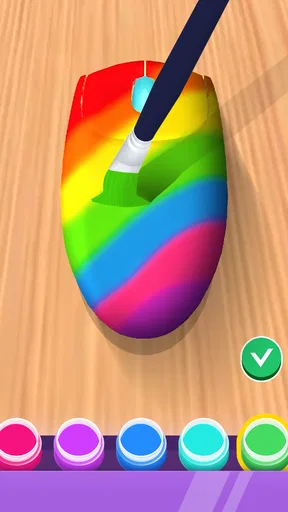
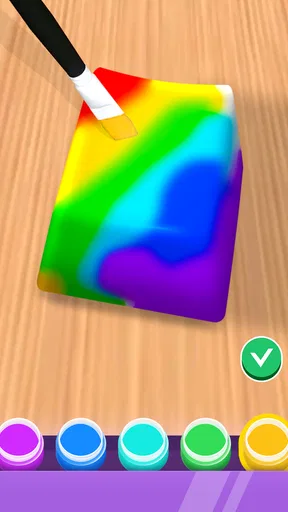
Okay, so there are a few features that really blew my mind. First, the keycap customization. You can literally design each key to look however you want. Want a rainbow theme? Go for it. Prefer something more minimalist? You got it. And the best part? It’s super easy to use. You don’t need any design skills; just a bit of creativity.
Next up, the sound effects. This is where things get really fun. You can choose from a variety of sounds for when you type, from classic keyboard clicks to funky sci-fi noises. It adds a whole new dimension to typing and makes even the most mundane messages feel exciting.
Effortless Integration
One thing I really appreciate about DIY Keyboard is how smoothly it integrates with your existing apps. You don’t have to jump through hoops to get it working. Just install, set it up, and you’re good to go. Whether you’re texting, emailing, or just browsing, your custom keyboard is ready to roll.
Community Creations
Another cool feature is the community aspect. You can share your creations and check out what others have designed. It’s a great way to get inspired and maybe even learn a few new tricks. Plus, the community is super supportive, so you’ll never feel lost or out of place.
Why It’s Worth Checking Out
Now, you might be wondering if this app is worth your time. In my opinion, if you love personalizing your tech and want to add a bit of flair to your everyday typing, DIY Keyboard is definitely worth a try. It’s fun, easy to use, and seriously addictive. I found myself spending way more time than I’d like to admit just playing around with different designs and sounds.
And let’s be real, who doesn’t love the idea of making their phone truly their own? With the endless customization options, you’ll never get bored. Plus, it’s a great conversation starter when people see your unique setup.
Final Thoughts
All in all, DIY Keyboard is a fantastic app for anyone who loves to customize and personalize. It’s a breeze to use, offers tons of features, and is backed by a vibrant community. Give it a shot; you might just find yourself having a blast creating the keyboard of your dreams!
So, are you ready to take your typing experience to the next level? Download DIY Keyboard today and let your creativity run wild!
Pros
- Highly customizable interface options.
- Extensive library of themes and fonts.
- User-friendly design for easy navigation.
- Supports multiple languages smoothly.
- Regular updates with new features.
Cons
- Some features require in-app purchases.
- Occasional bugs in theme application.
- High battery consumption reported.
- Limited support for older devices.
- Ads can be intrusive during use.
FAQs for DIY Keyboard
What is DIY Keyboard and how does it work?
DIY Keyboard is a customizable keyboard app that allows users to personalize their typing experience on Android and iOS devices. Users can design their own keyboards by choosing from a variety of themes, colors, and fonts, or even create unique layouts with custom backgrounds and key shapes. The app provides a user-friendly interface, making it easy to implement changes and switch between different designs.
Is DIY Keyboard compatible with all devices?
DIY Keyboard is designed to be compatible with most Android and iOS devices. However, it is important to check the app's system requirements in the app store description to ensure compatibility with your specific device. Some older models or devices with outdated operating systems might not fully support all features.
Does DIY Keyboard affect typing speed or accuracy?
DIY Keyboard is designed to enhance your typing experience without compromising speed or accuracy. The app offers intuitive layouts and responsive key feedback. While some users may experience a brief adjustment period when switching from a standard keyboard, most find that their typing quickly improves with the personalized settings.
Are there any in-app purchases or subscriptions required?
DIY Keyboard offers a range of free themes and customization options. However, there may be premium features or exclusive designs available through in-app purchases. These optional purchases provide additional customization for users seeking a more unique experience. There are no mandatory subscriptions required to use the core functionalities of the app.
How secure is my data when using DIY Keyboard?
DIY Keyboard takes user privacy and data security seriously. The app does not collect or store typing data, ensuring that your information remains private. It is recommended to review the app's privacy policy and permissions upon installation to understand how your data is handled and to ensure you are comfortable with the app's practices.


